Chapter 1
Asking for a Page
It’s Not Magic, It’s a Conversation
The first thing to understand about the web is that it’s not magic. It might feel like magic when you click a link or type an address and a page pops up instantly, but behind that quick appearance is a simple, structured conversation between two computers. Think of it this way: when you see a new web page load, what really happened is that one computer politely said, “Hey, could I have that page, please?” and another computer responded, “Sure, here it is!” This back-and-forth is the heart of how the web works. It’s less Harry Potter and more like a well-organized phone call or a polite chat at a help desk.
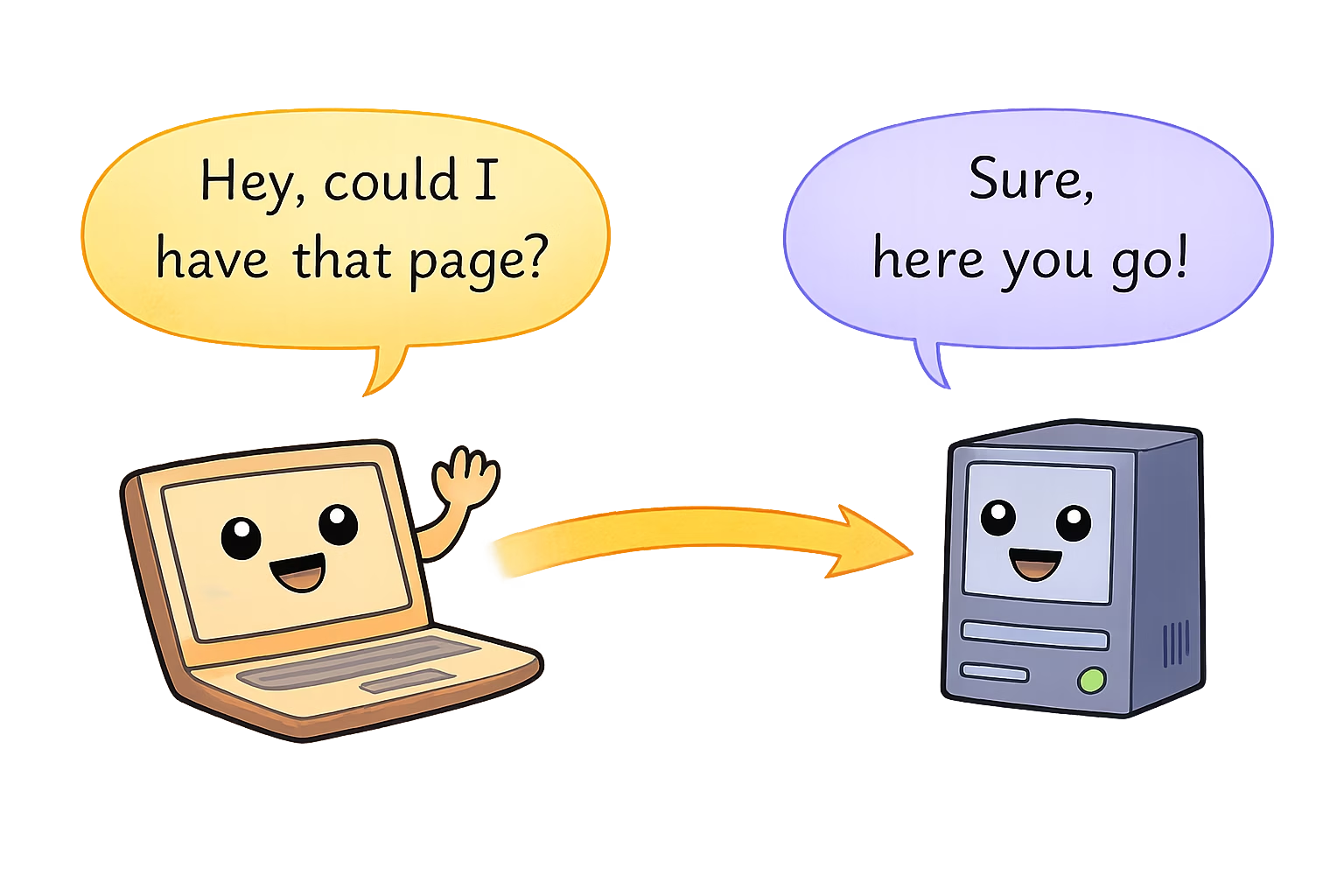
The web is essentially a Q&A session between your device and some remote server. One asks a question, the other gives an answer. No spells, no pixie dust—just computers following a set of polite rules to talk to each other. (That set of rules is a special language we’ll talk about later. No need to worry about it now.) The important thing is: every time you load a page, your device is asking for something and another device is answering. It’s a digital conversation, as ordinary (and as extraordinary) as that.
Now, you might be thinking, “Really? My laptop is having a conversation?” Yes, indeed! Computers aren’t known for their small talk, but when it comes to the web, they follow a strict format of asking and responding—kind of like super polite robots exchanging messages. When you click “Play” on a video or navigate to a new website, your computer (the one in front of you) essentially raises its hand and says, “Excuse me, can I have this information?” The target computer, somewhere out in the world, then replies either with the information (“Certainly, here you go!”) or an apology/excuse (“Sorry, can’t find that.”). And this all happens faster than you can say “World Wide Web.”
So, the web is not some incomprehensible wizardry. It’s more like a well-behaved conversation at a bustling café or a library. To bring this out of the abstract, let’s use a friendly analogy: visiting a library to ask for a book.
A Friendly Analogy: The Library Desk
Imagine walking into your favorite local library (yes, the one with the comfy chairs and the faint smell of old books). You approach the front desk where the librarian sits. The librarian is friendly, but busy—much like a web server handling many requests. You politely ask, “Could I have the book Awesome Adventures of Index.html, please?” The librarian might raise an eyebrow at the quirky title, but they check their catalog, find the book on a shelf, and hand it to you. In web terms, you just made a request and got a response.
[Diagram: A person approaching a help desk and asking for a book titled “index.html”]
Let’s break down this little library scene: • You, the visitor, are like the web browser (say, Chrome or Safari) on your computer. You’re the one with a request, eager to get some information. In the library, you’re looking for a book; on the web, your browser is looking for a web page. • The librarian at the front desk is like the web server. A server is just a computer that stores website data and hands it out when asked. The librarian has access to all the books (information) in that library and knows how to find them. Similarly, a server has all the pages of a website (and related info) stored and can retrieve them when asked. • Your question, “Can I have The Awesome Adventures of Index.html?” is essentially a web request. It’s a structured question. You didn’t just mumble random words to the librarian; you asked for a specific book. Likewise, your browser doesn’t just say “gimme stuff” to a server; it asks for a specific page (often something like “GET /index.html” in computer-speak, meaning “Please give me the main page”). • The act of the librarian finding the book and handing it to you is like the server sending back the web page you asked for. The librarian might have to walk to a certain aisle, locate the book, and bring it back. You might not see all those steps, but they happened. When the server sends a page, it might be doing a bunch of work behind the scenes—looking up files, maybe running some code—but eventually it hands your browser the page data. From your perspective, the book (web page) just appears in your hands (or on your screen).
Notice how civil and structured this exchange is. You didn’t barge in yelling, and the librarian didn’t throw random books at you. There was a clear ask and a clear answer. The web works the same way: a clear ask (request) and a clear answer (response).
In this little story, if the librarian didn’t find the book, they’d come back and say something like, “Sorry, we don’t have that book.” On the web, the server does the same if it can’t find the page — it sends back a message essentially saying “404 Not Found” (which is tech-speak for “I couldn’t find what you asked for, sorry!”). But the tone remains polite: a request was answered, even if the answer is, “Nope, sorry, not available.”
By thinking of the web like this — just a structured question-and-answer session — you demystify a lot of what’s happening. Every website you visit, every cat photo you like, every video you stream, it all starts with one computer asking another for something specific. If the other computer has it, you get the goods. If not, you get an error message (or an apology, if we personify our librarian-server). Simple.
Typing an Address: Your Request’s Formal Invitation
Now let’s connect that library analogy to what actually happens when you sit down at your computer and type in a website address (like www.example.com). Think of the website address (also known as a URL — Uniform Resource Locator, but you don’t have to remember that) as a kind of specific request or even an invitation. It’s like writing down the exact name and location of the book you want on a little slip of paper and handing it to the librarian.
When you type a URL into your browser, you’re essentially telling your browser, “Hey, go ask for this exact thing.” It’s similar to walking up to the librarian and not just saying “I want a book,” but “I want this exact book by this exact author, please.” The more specific you are, the better your chances of getting the right page. The URL is the specificity that guides the request to the right place.
Think of the URL as a street address or a phone number for that website. If you want pizza delivered, you give the restaurant your precise address. If you want a particular web page delivered to your browser, you (or rather, your browser on your behalf) give the internet the precise address of that page. For example, when you enter https://www.example.com/index.html, it’s like saying: “Dear server at www.example.com, could you send me the file named index.html?”
Just like in our library analogy, “index.html” is kind of like the title of the book you’re requesting. Many websites use “index.html” as the name of their homepage (the main page). So in many cases, if you just visit www.example.com, behind the scenes your browser is actually asking for /index.html (even if it doesn’t display that text to you). It’s essentially saying, “Could I have the index page, please?” Often, you don’t see the “index.html” part because web servers will assume you mean the index if you don’t specify something else. But it’s happening, invisibly.
The key point is: by typing a web address, you’re directing your browser to make a very specific request. You’re handing it the equivalent of a filled-out request slip to give to the librarian. Instead of you walking physically to the desk, your browser sends this request through the network to the right server.
How does it know what the “right server” is? Well, that touches on some behind-the-scenes mechanisms (not actual magic, just tech) involving something called DNS that works like a phone book to find the right computer for the job. We’ll explore that in a later chapter. For now, you can imagine that your request is put into a sort of postal system for the internet — the address (URL) ensures it eventually reaches the correct library (server) that has the page you’re asking for.
So when you hit Enter after typing a web address, picture your computer gently lobbing a message into the internet: “Hello, I’m looking for www.example.com/index.html.” That message zips through wires, airwaves, and maybe undersea cables (seriously, across oceans!) until it finds the computer that calls itself www.example.com. When it gets there, that computer hears the knock and starts preparing an answer.
The Web’s Polite Q&A (Step by Step)
Let’s step back and look at this process in a simpler form, without the library metaphor for a moment. At its core, whenever you see something on the web, this is roughly what happened:
1. Step
You ask for something. (Your browser sends a request for a specific page or resource.)
2. Step
Someone hears the question. (A server — a computer somewhere in the world — receives your browser’s request.)
3. Step
The answer is prepared. (The server finds the page or data you asked for. If you’re requesting a homepage, the server will grab that file; if you’re logging in or doing something fancy, the server might do some extra work like checking a database. But fundamentally, it’s getting the answer ready.)
4. Step
You get an answer back. (The server sends the data back to your browser. This data might be the text, images, and other ingredients that make up the web page.)
5. Step
Your browser shows it to you. (Your browser takes the response and displays the page on your screen, assembling all those pieces into something visible and usable.)
That’s it! Five simple steps in a polite exchange.
For example, if you clicked a link to a funny cat video: • Your browser asked: “Could I have the page with the cat video, please?” • The server that has that video said: “Sure, here it is!” and sent the video page (and the video file) back. • Your browser then displayed the page and you got to see the adorable cat do its thing.
This request-and-response dance happens incredibly fast. In fact, it happens many times just to load one page. When you loaded that cat video page, your browser might have actually made several requests: one for the HTML page, more for the images or videos or style files it needs, etc. And each time the server answered. It’s like asking the librarian not just for a book, but also for the accompanying illustrations, and maybe the table of contents separately, and the librarian keeps handing you each piece you ask for. Each ask gets an answer: “Here’s the text, here are the images, here’s the stylesheet,” and so on. Your browser pieces them together into the final page you see.
The cool part is that even though there might be multiple requests, they all follow that same simple pattern: ask politely, get a response. If something fails, the server will let the browser know with an error, but otherwise it’s just answer after answer until the browser has everything it needs to present the page to you.
Peeking Behind the Curtain (But Just a Little)
Now, I know what you might be thinking: “Surely there’s more to it than that? What about all the cables and techy stuff?” It’s true that behind this simple story, there’s a lot of engineering making it happen. The web feels simple when we describe it as just “ask and answer,” and conceptually it is simple. But to make that happen on a global scale, many steps work together seamlessly.
Think of it like our library scene in fast-forward: You asked the librarian for a book. Behind the counter, maybe they quickly checked a computer to see if the book was in their catalog. Maybe they sent an assistant running to the shelves. Perhaps the assistant had to use a ladder to get the book from a high shelf, then hop down and run back. Finally, the librarian handed you the book. You don’t see all those micro-steps, and you might not care how the librarian’s database works or where exactly the book was on the shelf. You just care that you got what you asked for.
Similarly, when your browser asks for a page, behind the curtain: • Your computer has to figure out where to send the request. This involves that DNS thing we mentioned, which is basically like looking up the number of the right “library” to call. It’s as if your browser says, “Hmm, I have this address (URL); let me check the internet’s phonebook to find the exact server’s address (an IP address) to send my request to.” • The request might hop through several other machines on the way. Think of these like postal routing centers or checkpoints. Your data might go through your router at home, then to your Internet Service Provider’s system, then across the country, maybe across the ocean, hitting several network hubs, until it reaches the server. Each hop is like your request letter getting forwarded along the best route to the destination. • There are specific protocols in play — remember, the languages and manners for computers to communicate. The main one your browser and the server use to talk is called HTTP (which stands for HyperText Transfer Protocol, in case you’re curious). Think of HTTP as the grammar and etiquette of the conversation. It’s the reason our computers can be polite to each other — they’ve agreed on how to talk and how to format the questions and answers. (If one computer spoke “HTTP” and the other didn’t understand it, it’d be like someone speaking English to a cow. Lots of mooing confusion.) • The server that receives your request might be one of thousands of machines in a big data center. It has to figure out which file corresponds to “/index.html” or whatever page you asked for. If the site is more complex or your request is for something like search results, the server might actually create the page on the fly, based on what you asked. (For example, if you search for “cute cats” on a site, the server might build a page with cat results just for you at that moment.) But fundamentally, it’s working to prepare the content you requested. • Once the server has the content, it wraps it up in a response (including a little status code at the top, which is like the librarian scribbling “OK” or “Not found” on your request slip). Then it sends the response back through the network, retracing a path back to your computer. • Your browser receives the response and might say, “Ah, I got the HTML page.” Then it looks at that and sees, oh, the page also needs an image and a CSS file (style sheet). So the browser will make additional requests for those items, possibly to the same server, and get those responses too. Only after getting all of these pieces does it finally display the fully assembled page to you.
All of that orchestrates very quickly. The “chain of events” behind one page load can involve dozens of these tiny exchanges, but each one is just a variation of the same polite Q&A theme. At this point, don’t worry if terms like DNS, HTML, or data center sound unfamiliar or intimidating. We’ll introduce those concepts gently in due time. For now, just keep in mind: while there are many steps behind the scenes, the core idea is surprisingly simple — a question and an answer.
In fact, understanding that core makes the more complex stuff easier to digest when we get there. You might eventually learn about IP addresses (like the street numbers of the internet), or how secure connections work (that little padlock icon in your browser address bar), or how your single request can pass through five different countries in a blink of an eye. Those are fascinating topics, and we’ll visit them like tour stops on our journey. But none of those details change the basic mental model: one side asks, the other side replies.
Welcoming You to the Conversation
What’s magical (in a non-magic way) about this realization is that the web stops being an unknowable cloud and starts feeling like something you can grasp. It’s like discovering that behind the curtain, the Great and Powerful Oz is just a friendly old fellow working some levers. In our case, behind the flashy websites and endless content, there’s just a friendly conversation happening over and over, billions of times a day, between machines. And because it’s just a conversation, it means you—yes, you, dear reader—can understand it and even take part in it more deeply if you want to.
Remember how we said this chapter is aimed at beginners but also welcoming to developers? If you’re totally new to this, hopefully now you see that the web isn’t off-limits to you. It’s built on interactions that mirror things you do every day in real life (like asking questions and getting answers). If you’re a developer or a curious techie, you might be nodding along, remembering when you first truly got this concept. It’s fundamental, but it’s also powerful. Many people use the web without ever thinking about what’s happening; you, on the other hand, are pulling back the curtain. Good job!
The beauty of the web is in its simplicity at the core. The complexity comes from scale (millions of servers, billions of users) and layers of improvement (faster responses, secure encryption, fancy visuals). But at the end of the day, it’s still that one request, one response, happening at lightning speed and on a massive scale.
Whenever you navigate to a new page, you can almost imagine your computer and the server as two characters in a story: • Browser (Your Device): “Hello, I’d like to see the latest comic on example-comics.com, please.” • Server (Website’s Computer): “Sure thing, here it is!” (sends back the comic page and images). • Browser: “Got it, thanks! Oh, this page says it needs three images and a stylesheet too – mind sending those?” • Server: “No problem, here they come!” (sends those additional files). • If something’s missing… Server: “Uh oh, I can’t find the image you’re asking for, sorry!” (that would be like a 404 for an image file – perhaps the comic image moved or got deleted).
Even when there’s an issue, it’s communicated as part of the conversation (just an answer that says “didn’t work” instead of “here’s the content”). The browser then can tell you something went wrong, often by showing a little broken image icon or an error message.
Sometimes the conversation can get a bit more involved – for example, if the server wants to verify who you are before giving you something. That’s like the librarian saying, “I can give you this rare book, but I need to see your library card (ID) first.” On the web, that might happen if a page is restricted; the server might ask your browser to prompt you to log in. Still, it’s the same idea: a question (browser asks for page), a conditional reply (server says “hold on, who are you?”), then you provide credentials (browser says “here’s their ID”), and finally the server gives the page. A polite little dance.
What’s Next?
Here in Chapter 1, we wanted to make you comfortable with the idea that the web is nothing more arcane than asking for pages and getting them. You might still have lots of questions (which is great!). For instance, you might wonder: • “How does my request actually find that one server out of all the millions out there on the internet?” • “What exactly does that server’s answer look like? How does my browser turn it into the pretty page I see?” • “What if multiple people ask for the same page at the same time? Can the server handle it? (Spoiler: yes, usually.)” • “What are these http:// or https:// things I see in front of web addresses sometimes? Are those part of the secret conversation language?” • And so on…
Fear not! We will get to all of those. In the chapters ahead, we’ll gently introduce things like addresses (so your request knows where to go), protocols (the fancy word for the languages/rules of these conversations), and the roles of browsers and servers in more detail. We’ll talk about how the internet finds the right computer for www.example.com (hint: it involves something like a global phone book, as we foreshadowed). We’ll also have fun with analogies like postal services, café waiters, or perhaps a team of carrier pigeons (just kidding… probably 🐦). Each layer will build on this core idea from Chapter 1.
For now, give yourself a moment to appreciate what you’ve learned. The next time you load a web page, picture that librarian scenario or the polite handshake between two computers. Imagine the journey of your request as you hit Enter: the little question packet zipping across the globe, reaching the right server, and the answer zooming back. It’s a wild, worldwide journey that happens in milliseconds, yet it’s all built on a simple foundation: asking for a page.
So, take a deep breath, pat yourself on the back for absorbing this concept, and maybe even impress a friend by explaining it in this library metaphor (or make up your own metaphor!). You’re already starting to think like a web insider.
In the next chapter, we’ll start unpacking some of those “behind the scenes” steps we only hinted at here. But we’ll do it gently, layer by layer. For now, just remember: the web is a friendly place once you understand that at its heart, it’s just one polite request and one polite response at a time. It’s like the world’s biggest, fastest Q&A session, and now you’re in on how it works. Not so scary after all, right?